Michael tagged me recently with his great post about the top websites and programs that he uses to get things done. He posted a lot of interesting tools there, way too many for me to keep track of.
I actually like to work more simply, so to speak, rather than use the more than 15 tools that Michael uses. Personally, I have identified five website programs or websites that I use on a regular basis to get things done. Here are the top 5 things that I like to use on a regular basis to get things done:
 1. The telephone Yes, low and behold this is probably the tool that I use to get things done. Although many people tend to use email (yes, that’s my 2nd tool), I find that actually picking up the telephone will get things done; especially in a society that relies so much on other tools. Pick up the phone and request a link from someone and you’ll get their attention.
 2. Email I only list this one because I use it often and categorizing emails and leaving the important ones in my inbox helps me get organized and get things done.
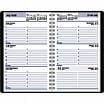 3. Dayminder I just bought a new one today (first real day back in the office after a long bout of being home sick for a while during the holidays). I use the Dayminder to create lists of things I absolutely must get done before I leave the office every day. When my laptop got stolen a while back I learned that you just have to have stuff down on paper. And I try to make a copy of my weekly schedule for my wife so she knows what the schedule is each week.
 4. Firefox I have just too many Firefox add-ons to list here. Perhaps that will be another blog post about my Firefox add-ons. There are some productivity add-ons that help me tremendously, such as the screengrab, the imacros for Firefox, and Snap Links just to name a few of them. I would also add WordPress to the Firefox category…because I’m always blogging in Firefox using WordPress.
 5. Social Poster I don’t know what I would do without socialposter.com…just a very cool neato tool to help me post to the social networks, login, and comment as necessary. Social Poster has a pretty decent list of social networks to submit stuff to, and there are actually a few that I’d like to see added: such as Searchles, Plime, and, of course, Mixx.
Well, that’s my major top 5 list of the top five websites and tools that I use daily. I chose to feature five of them here because most likely you’d like to hear about the best ones; not about the useless ones that aren’t really tools. I could go into a bunch of more sites that I occasionally visit to get links or other tools and bookmarks that I have in Firefox, but really–they all are specific for certain tasks and don’t apply to everyone.
Since Michael Gray was so thoughtful to bring up this subject and remind me that I needed to make yet another useless blog post on my blog then I thought I’d go ahead and ping a few other people like Andy Hagans, Dosh Dosh, Tamar, and Jim Boykin and see if they’re willing to share, as well.