
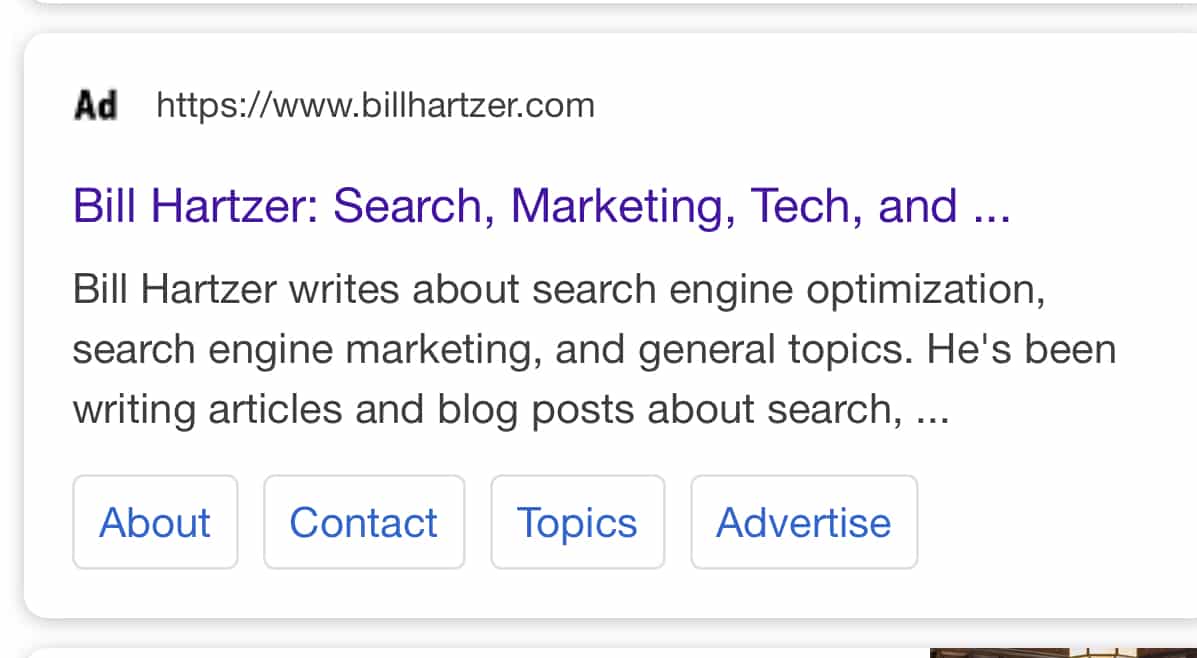
Google’s organic search engine listings can looks like Ads, but they are not actually Google Ads. Instead, the site owner has updated the favicon on their website to display an Ad logo. That Ad logo image similar to the black and white Ad symbol Google currently displays to designate that a search engine result listing is a sponsored Ad. As an experiment, I updated the favicon on this website to display a graphic that I personally created–which looks similar to Google’s Ad graphic they display next to Google Ads. An example of my site appearing in the Google organic search results on a mobile phone is shown below:
Featured Snippets Can Look Like Ads
If you also look for featured snippets in the search results, I was able to make a Google featured snippet (that I have for my site) that displays the same Ad favicon. Having “Ad” show in the featured snippet makes it appear as if the featured snippet is an ad. But, it’s not. Here’s an example of a featured snippet that I have from a recent blog post here on this blog about Web Host Agents.
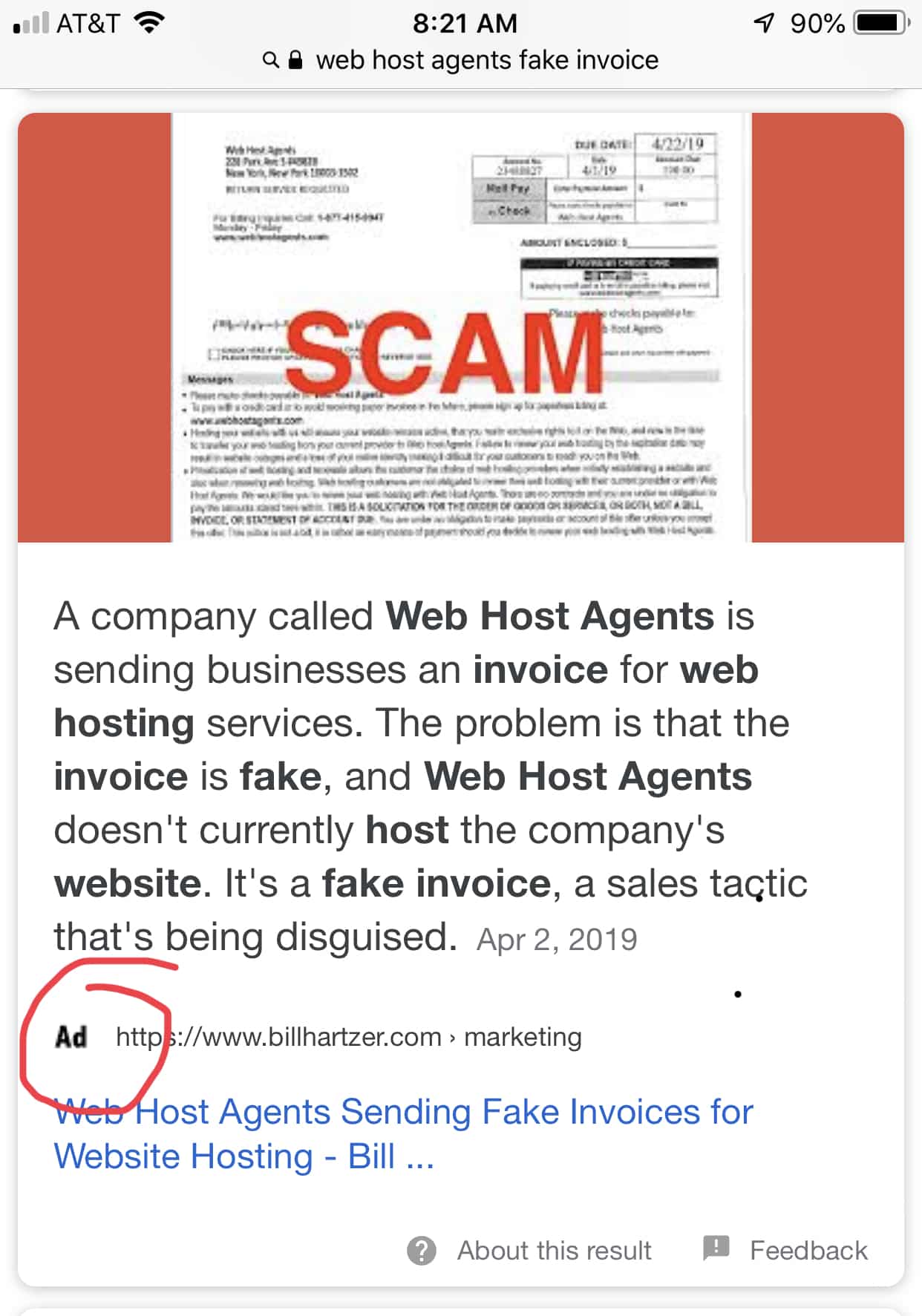
As you can see, there is a small graphic next to the URL, right under the paragraph of text in the featured snippet. The graphic says “Ad” although this is a natural, organic search engine result.
Google Mobile Search Results with Favicons
On May 22, 2019, Google started rolling out (showing) favicon icons, which are small graphics, next to each website listing in their mobile search results. The website owner has a choice on which graphic (favicon) to show, as they can upload a favicon image directly on your website. Traditionally the favicon file should appear at the root of the website, something like https://www.billhartzer.com/favicon.ico. However, the actual file can be anywhere on the domain name, the HTML code of the site just has to tell the search engines where the file is. It also doesn’t have to be an .ico file, it can be in the form of a .JPG, .PNG, as well, which are more commonly used nowadays. If the website does not specify a favicon, then Google will display a default image in the mobile search results.
How to Change Your Favicon
If you go to your website in a web browser, if you currently have a favicon (most already have one by default), then you’ll see it in the web browser’s title display, where the title tag on the website shows up in the browser. In Firefox, it looks like this:
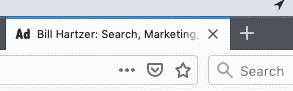
As you can see, for my site it displays as “Ad”.
There a few ways to change favicon on your site. You can literally go find the favicon.ico file and change it. You’ll need to create a file called favicon.ico and upload it to your root directory. There are several online sites that help you create a favicon.ico file, and you can upload an image and it will convert it.
Another way, though, is to use WordPress (it your site is a WordPress site). You can go to Appearance/Customize and look for the Site Identity tab. There, you can upload an image file with the new favicon. I recommend creating a .PNG or a .JPG file that is exactly 512×512 pixels in size. That size can then be easily resized by the sites that use favicons, like Google.com. It may be distorted or just not work properly if it’s not a size that can be resized properly. I believe Google, for example, may resize it down to 16×16 pixels, so the 512×512 pixels works out perfectly.
Once you’ve updated your favicon, then go to your site in your web browser. It should immediately display the favicon in the title area of your web browser. If it doesn’t, then you may need to clear the cache on the site (like if you’re using a CDN such as CloudFlare), or clear the cache on your web browser.
Once it’s loaded, in order for Google to start using your new favicon file in the mobile search results, they will need to recrawl your site’s home page. Go to the Google Search Console and use the URL Inspection tool to inspect the site’s home page. Then, resubmit it and ask them to recrawl the home page. It may take a few hours or days for them to recrawl and for the new favicon to start showing up in Google’s mobile search results.
Changing my site’s favicon to look like Google’s Ad graphic is something that I decided to do as an experiment. I wanted to go through the process of updating my favicon since Google is now showing them in the mobile search results. Using the favicon that looks like the Google Ads graphic presents a particular interesting dilemma, as when a page from my website shows up in the Google mobile search results it may look like an Ad to a visitor, but it’s not really an ad. Now, with them displaying the Ad graphic next to organic, natural search results listing, people using Google may be even more confused–they don’t know which result is an ad and which one is not.
What if lots of websites started updating their favicons to show “Ad” as the favicon? If you’re interested in doing this, feel free to use the graphic at the top of this post. Just upload it as your favicon and let me know that you’ve updated it in a Tweet: Find me on Twitter @bhartzer.