Bill Hartzer Website Marketing Services

Search Engine Optimization 101: Title Tags on Web Pages

There are many ways you can get your Search Engine Optimization efforts to pay off. One of those methods involves the title tag for your web pages being correct. You really need to put some effort into each title tag. This is your chance to accurately describe what the content is for that particular web page. This is very important because it tells the reader what they can expect from that information.
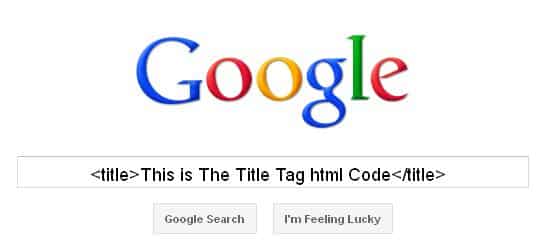
The title tag of any web page will help you to get better rankings with the search engines. This is what a user is going to see and then it will encourage them to click on that link to visit your website. This is your means of getting more targeted traffic to your website, and that is what your SEO efforts are all about.

This title tag is your hook to put out there to get someone to find out more about what you have to say. This means a great deal of weight is put on that title tag by the various search engines. With that in mind, you always want to include relevant keywords that will help with getting traffic. They also help you to get indexed as fresh material with the various search engines.

Avoid Common Mistakes

One of the most common mistakes made is that people don’t the importance of these title tags when they create their web pages. You don’t want to have the same one used for every single page of your website. They should each have a unique title tag that adequately describes what can be found on that particular page.

What do your Title Tags Look Like?

If you aren’t sure what your title tags look like, it is time to find out. Choose any search engine that you normally use and time in site: domain.com (put your website into the field that says domain.com).

This will offer you a listing of all the web pages that are found on that particular site. Take a close look at the title tags for each of them. If they are the same or you find they are very similar to each other then it is time for you to make changes to them for SEO benefits. Once you change them you will notice an increase in your organic traffic to your site.

The title tag is an essential piece of quality SEO so don’t let it slip by unnoticed. There is a certain length that it can be too so make sure it isn’t too long. Another tip is to put your keywords at the beginning of your title tag whenever possible.

Activity

One comment, leave a comment.
  1. Robert Visser
    Oct 18th 2011

    Just a point of clarification on web standards, the discussion is on a Title element; “title tag” is a colloquialism. Using the the term “tag” is ambiguous and open to confusion with a title attribute. Please see the World Wide Web Consortium (W3C) documents below.

    HTML 4.01 Specification
    W3C Recommendation 24 December 1999
    The global structure of an HTML document
    7.4.2 The TITLE element
    http://goo.gl/o2htI

    and

    7.4.2 The TITLE attribute
    http://goo.gl/xJnN0

    or if you’d prefer:

    HTML5
    A vocabulary and associated APIs for HTML and XHTML
    Editor’s Draft 30 September 2011
    4.2.2 The title element
    http://goo.gl/L3gLQ

    For a Title element there is a difference between what Google displays on a search engine results page and what may actually be indexed. Beginning in late May 2010 we began seeing discussions on the forums that Google had increased the number of displayed characters on their SERPs to 70. And while there, of course, is no means to limit the number of characters one can place in this field, there are some additional places we can look for guidance.

    The input filed for a Business Title on the form to create (or edit) a Google Places business listing has a limit of 80 characters.

    On Aug. 17th, 2011 Matt Cutts stated in a Webmaster Central Help video, “What role does being in DMOZ play in rankings?” http://goo.gl/xPzQZ , that Google does still relies on DMOZ listings for a few asian countries (the implication being non-roman alphabets) as well as for some snippets. The input field for a title element in a DMOZ listing is limited to 100 characters.

    Again, neither the character counts of 80 nor 100 specifically indicate Google has any limit on the number of characters which might be indexed for the Title element.

    As far as authority given to the keywords placed in a Title element, long tail keyword phrases at the beginning of the field (to the left on a roman keyboard) receive a higher value.

Search

The archives run deep. Feel free to search older content using topic keywords.

Search this Dallas Search Engine Optimization Website


Alternatively, you can use this form: