Google has quietly made a change recently in Google Webmaster Tools. They have removed the date that is reported when they report the links to your website.
If you are familiar with search engine optimization, then you already know that one of the big essential parts of the whole entire search engine optimization process is linking. Just so you know, when I say “linking”, I am referring to getting links from other web sites to your web site. In Google Webmaster Tools, Google has traditionally allowed website owners to view a list of all of the links to their web sites. This also includes a way to export the data into a file that you can open up in a spreadsheet, like Microsoft Excel.
Let me show you what I mean, in particular. After logging into Google Webmaster Tools, and after verifying your web site, you can click on the left side navigation and get to “Links to your site”, as shown below:
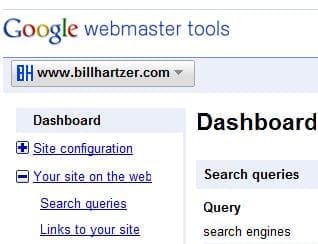
Click on the “links to your site” link and you will be presented with a list of web pages on your web site (a list of URLs). If you scroll all the way to the bottom, you will see something that looks like this:
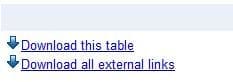
If you click on the “Download all external links” link you can export all of the link data and open it up in a spreadsheet (I use Microsoft Excel). The only problem is that previously Google gave us a list of the page, the link, and the date.
However, recently Google has actually removed the date: they do not give us the date anymore.
This may not seem like a big change to you, but for webmasters and online marketers like myself, who frequently deals with more than 1000 links to any given web site, this is a big deal. It used to be that you could sort the columns, and I would sort the column by date. This way, I could concentrate on viewing only the “newer” links that Google is reporting. However, Google no longer gives us the date.
By removing the date from the Google Webmaster Tools link data, are they trying to hide something? Why suddenly would Google remove data from Google Webmaster Tools? I thought that Google was all about giving us webmasters more data, right?
Maybe the folks over at Google Webmaster Central can give us an explanation?